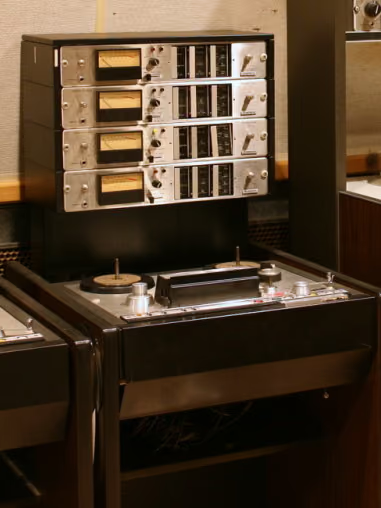
Tape saturation and soft clipping both make peaks easier to manage. Tape is a tone-and-glue stage with harmonic density and frequency-dependent behavior. Soft clipping is a peak-shaping tool for fast transients and loudness.
What does tape saturation do that clipping does not?
Tape changes the whole signal path. It adds harmonics, gently compresses, shapes the low end, and smooths high frequencies. Reach for it when a master needs warmth, cohesion, or a smoother digital edge. It usually sits before final clipping or limiting.
What does soft clipping do better?
Soft clipping is more direct. It rounds peaks above a threshold, often letting you get a louder master before a limiter. It can preserve punch when used carefully, especially on drums and modern loud genres. Push it too far and it becomes crunchy or flat.
Hear it before you read more
Download the pack, or play the before and after samples.
Can you use tape and soft clipping together?
Yes. A common modern chain is subtle tape first for density and tone, then light clipping for peak control, then final limiting for true-peak safety. The order matters: tape shapes the sound; clipping manages the remaining spikes. If the tape stage already softens enough, you may need less clipping.
Which should you choose?
- Choose tape when the master needs warmth, glue, and smoother highs.
- Choose clipping when the master needs loudness and peak control.
- Use both when you want analog density plus competitive level.
FAQ
Is tape saturation safer than clipping?
Tape is usually gentler, and it can still dull or distort a master if you overdo it. Clipping is more surgical for peaks. Tape is more musical for tone.
Should tape go before a clipper?
Usually yes. Put tape first for tone and density, then clip only the transient peaks that remain.
Want to hear the difference on your own audio? Download the pack, or hear your finished mix mastered through tape in Tape Mastering, level-matched against the original.
Next step
Download the pack. When a song is done, master it through tape with Tape Mastering.