Tape Compressor — the free tape-style channel compressor
Tape Compressor is a free tape-style channel compressor — a tube/transformer preamp, tape drive and a musical leveler in one plugin — for glue, weight and controlled dynamics on any track or bus. VST3, AU and LV2 for Windows, macOS and Linux.

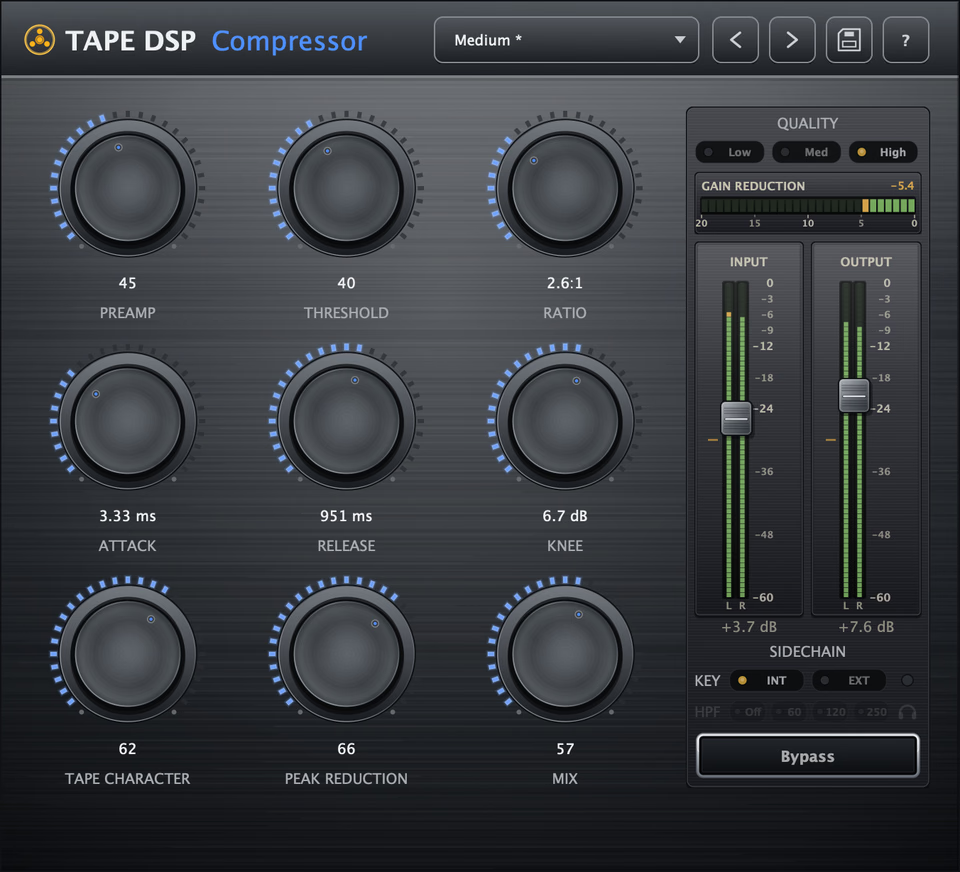
Everything on the panel
Preamp
Tube/transformer input for weight and color feeding the compressor.
Tape Drive
Adds tape saturation and harmonics into the dynamics stage.
Peak Reduction
The main "how much" control — more reduction means more leveling and glue.
Ratio
How firmly peaks are held, from gentle leveling to strong control.
Response
One musical control pairing attack and release — slow and gluey to fast and snappy.
Focus
Stepped sidechain EQ so the detector reacts to the right band.
Mix
Parallel blend of dry and compressed for punch with control.
What is a tape-style compressor?
Tape Compressor is a free tape-style channel compressor for VST3, AU and LV2 on Windows, macOS and Linux. It is more than a compressor: a tube/transformer preamp, tape drive and a musical leveler combine into one full tape channel for glue, weight and controlled dynamics on any track or bus — free, and part of the same pack as Tape Machine and Tape Echo.
Instead of a clinical VCA response, it leans into the way tape and analog electronics control level: soft, program-dependent gain reduction plus harmonic saturation. You get the cohesion of compression and the tone of tape in one stage.
What do the controls do?
- Preamp — a tube/transformer input for weight and color feeding the compressor.
- Tape Drive — adds tape saturation and harmonics into the dynamics stage.
- Peak Reduction — the main "how much" control; more reduction means more leveling and glue.
- Ratio — sets how firmly peaks are held, from gentle leveling to strong control.
- Response — one musical control pairing attack and release, from slow and gluey to fast and snappy.
- Focus — a stepped sidechain EQ so the detector reacts to the right band, keeping bass solid or taming harsh mids.
- Mix — parallel blend of dry and compressed for punch with control.
The built-in gain-reduction meter shows exactly how hard it is working so you can dial in glue by eye and ear.
Is it really free?
Yes. Tape Compressor is genuinely free and ships in one installer with Tape Machine and Tape Echo. It is an easy, free upgrade for any track that needs analog glue instead of clinical control. Download the pack to get all three.
Where does the full quality live?
Tape Compressor runs live and CPU-light in your DAW as a complete free path. Optionally open Tape DSP Studio when you want the highest-fidelity offline tape mastering print, or Studio Mastering for a smart, streaming-ready auto-master. More in the Tape Compressor deep dive.
Good to know
Is Tape Compressor free?
Yes. It is a free tape-style compressor plugin included in the Tape DSP pack along with Machine and Echo. Activate once with a free Tape DSP account — no paid subscription.
What formats does it support?
VST3, Audio Unit (AU) and LV2 on Windows, macOS and Linux.
What is the Focus control?
Focus is a stepped sidechain EQ. It changes which frequency band the compressor reacts to — for example keeping low end from triggering the compressor or taming harsh mids — using musical presets instead of raw filter knobs.
Can I use it on a mix bus?
Yes. Use a moderate ratio, gentle peak reduction and the parallel Mix control for transparent glue, or push it for obvious tape-style dynamics on individual tracks.