New here? Get the plugin packGet the plugin pack — VST3, AU, LV2 on macOS, Windows, and Linux. Download now

Tape DSP
Tape DSP
Get started
← The plugin pack
Tape saturation plugin

Tape Machine: tape saturation for your DAW

Run your tracks through a modeled tape path. Slow the tape for deeper head bump and low-end weight, drive the input for harmonics and saturation, and add the compression and movement that make tape feel finished. Free to use.

VST3Audio UnitLV2
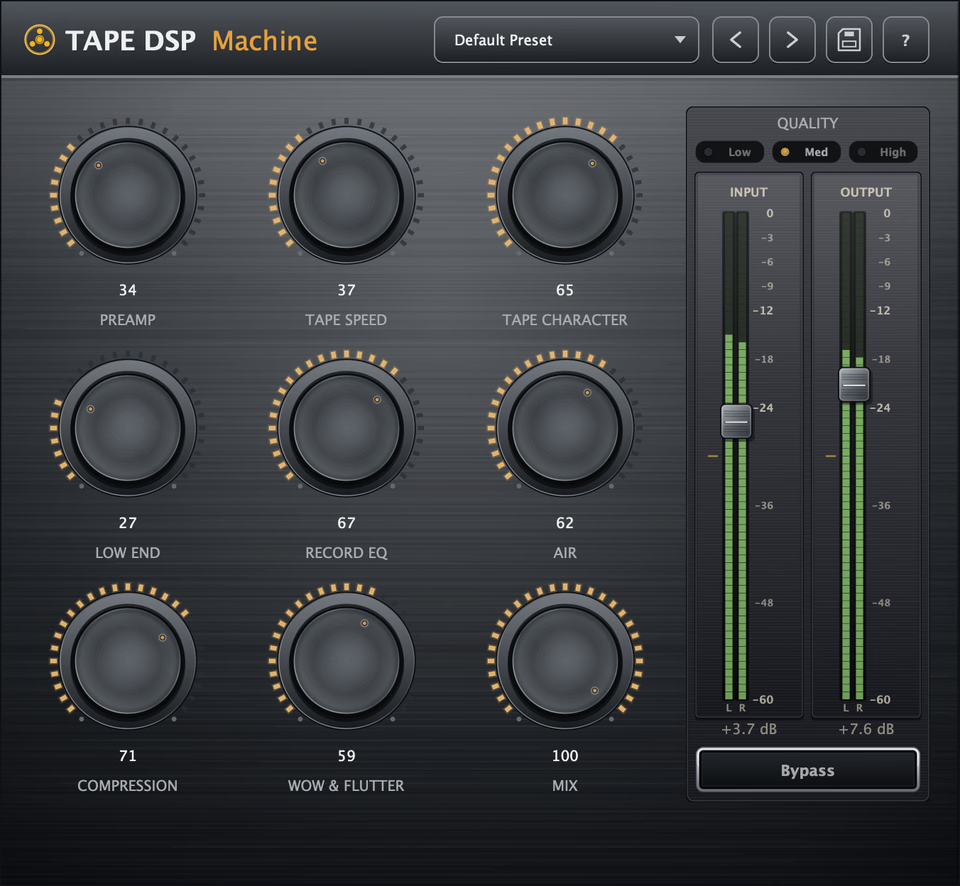
Tape DSP Machine plugin interface — preamp, tape speed, character, record EQ, low end, air, compression and wow & flutter controls with dual analog VU meters.
Price
Free · $25 Expansion
Type
Tape saturation
Formats
VST3 · AU · LV2
Platforms
Win · macOS · Linux
The controls

Shape the machine from input to tape

Preamp

Drive a modeled tube/transformer front end for weight and harmonics before the tape stage.

Tape Speed

Lower speeds emphasize head bump and warmth; higher speeds stay tighter, cleaner and more extended.

Character

Choose the tape formulation and how strongly it colors the signal, from cleaner to richer and more vintage.

Low End

Control the bass response so added tape weight stays focused instead of muddy.

Wow & Flutter

Add subtle wow and flutter for the pitch movement of a moving tape transport.

Record EQ

Shape what hits the tape before saturation, like the record EQ stage of a real machine (Expansion).

Air

Open the top end after tape smoothing without losing the softened tape character (Expansion).

Compression

Add signal-dependent tape compression for density and glue without obvious pumping (Expansion).

How it works

What is Tape Machine?

Tape Machine is a real-time tape saturation plugin for VST3, Audio Unit (AU) and LV2 on Windows, macOS and Linux. Use it on vocals, drums, bass, synths, buses or full mixes to add harmonic density, low-end weight, soft compression and subtle movement. It installs with Tape Compressor and Tape Echo in the same plugin pack, with one Tape DSP account activation.

The engine does more than apply a static saturation curve. It models a tube/transformer input stage, magnetic saturation, speed-dependent head bump and bandwidth, high-frequency softening, and wow and flutter. The result changes with level and tape speed, so the machine behaves like a signal path rather than a single distortion effect. New to the idea? Start with what tape saturation is.

What do the controls do?

  • Preamp: drive a modeled tube/transformer front end for weight and harmonics before the tape stage.
  • Tape Speed: lower speeds emphasize head bump and warmth; higher speeds stay tighter, cleaner and more extended.
  • Character: choose the tape formulation and how strongly it colors the signal, from cleaner to richer and more vintage.
  • Low End: control the bass response so added tape weight stays focused instead of muddy.
  • Wow & Flutter: add subtle pitch movement for the instability of a moving tape transport.
  • Record EQ: shape what hits the tape before saturation, like the record EQ stage of a real machine (Expansion).
  • Air: open the top end after tape smoothing without losing the softened tape character (Expansion).
  • Compression: add signal-dependent tape compression for density and glue without obvious pumping (Expansion).
Online Tape Machine

Want an offline tape render?

In your DAW

Use Tape Machine in real time while you record, mix and automate.

Tape DSP Studio

Use the online Tape Machine for an offline render with extra resolution and more export options.

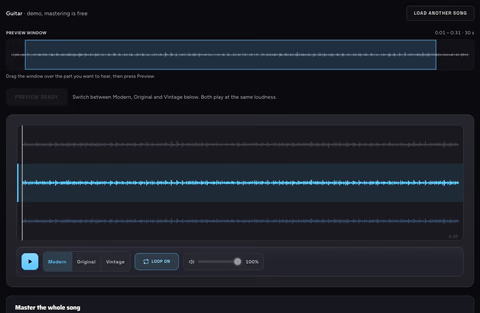
Mix in the plugin. Open the online Tape Machine when you want to render the tape process offline.

Also in the pack

More tape tools in the plugin pack

FAQ

Tape Machine FAQ

Is Tape Machine free?

Yes. Preamp, Tape Speed, Character, Low End and Wow & Flutter are free to use. Record EQ, Air and Compression unlock permanently with the optional Expansion. There is no subscription.

What formats and operating systems does it support?

Tape Machine installs as VST3, Audio Unit (AU) and LV2 on Windows, macOS and Linux, and runs inside any compatible DAW.

Do I need Studio as well?

Tape Machine is a complete real-time DAW plugin. The online Tape Machine is the browser product for an offline render with extra resolution and export options.

What can I use it on?

Vocals, drums, bass, synths, buses and full mixes. Use it lightly for subtle density and glue, or drive it harder when you want the tape color to become part of the sound.