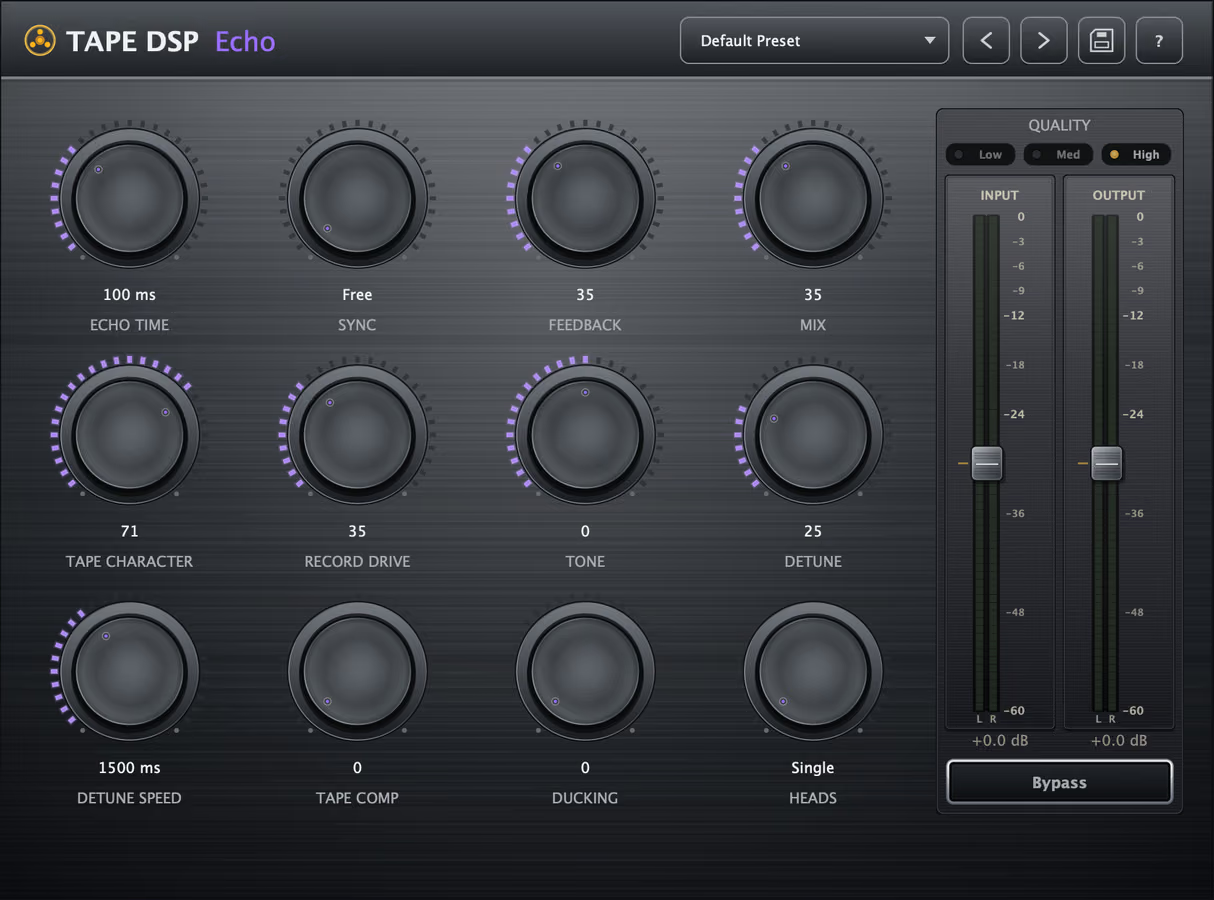
Tape Echo is a free-to-run tape delay plugin for VST3, AU and LV2 on Windows, macOS and Linux. Every repeat is fed back through the Tape DSP tape engine, so echoes warm, saturate and drift with wow and flutter as they decay — from tight slapback to dubby, self-oscillating trails. Echo Time, Sync, Feedback, Mix, Tape Character, Record Drive, Tone and Detune are free; a one-time Expansion adds Detune Speed, Tape Comp, Ducking and Heads. It installs with the rest of the plugin pack.
What does a tape delay do to each repeat?
A tape delay records each repeat to “tape,” so echoes lose highs, add harmonics, compress, and wobble as they decay. Repeats sit behind the dry signal and feel alive. Same tape behavior as tape saturation and tape bias, applied to a delay line.
What do the controls do?
- Echo Time / Sync — set the delay in milliseconds, or lock it to your project tempo with note divisions.
- Feedback — how many repeats, from a single slap to endless, self-oscillating trails.
- Mix — dry/wet balance of the echoes.
- Tape Character: the tape formulation and the color of the repeats.
- Record Drive — how hard each repeat hits the tape, adding saturation as it degrades.
- Tone — tilts the repeats brighter or darker as they decay.
- Detune — wow & flutter for pitch movement and analog instability.
- Detune Speed (Expansion) — how fast the pitch drift moves.
- Tape Comp (Expansion) — tape compression on the feedback path for smooth, controlled trails.
- Ducking (Expansion) — pushes echoes down while you play and lets them bloom in the gaps, keeping the dry signal clear.
- Heads (Expansion) — multi-head patterns for rhythmic, multi-tap echoes.
How do I get classic tape echo sounds?
- Slapback — short time, low feedback, a little Record Drive, minimal Detune.
- Dub delay — tempo-synced, high feedback, more Record Drive and Tape Comp so trails smear and saturate.
- Vintage wobble — raise Detune; Detune Speed (Expansion) sets how fast it drifts.
- Vocal echo that stays clear — add Ducking so repeats sit under the vocal, then bloom in the gaps.
Why use Echo alongside Machine and Compressor?
On one channel, Machine, Compressor and Echo split the work: Machine for saturation and warmth, Compressor for glue and weight, and Echo for space and movement. Because Echo runs its repeats through the Tape Machine tape stage, its delays sit naturally in a mix that is already using Tape DSP color.
Also available online
Echo is a complete live plugin. When the song is finished, Tape Mastering masters it through tape in the browser.
When the song is done, Tape Mastering masters it through tape for the streaming platforms.
Hear the character, then download
Download the plugins for your DAW, or compare the homepage samples.
FAQ
Is Tape Echo free?
The delay itself is free: Echo Time, Sync, Feedback, Mix, Tape Character, Record Drive, Tone and Detune. Detune Speed, Tape Comp, Ducking and Heads are part of the Expansion, a one-time purchase. Activate once with a Tape DSP account; there is no subscription.
What formats and platforms does it support?
VST3, Audio Unit (AU) and LV2 on Windows, macOS and Linux.
Can it sync to my DAW tempo?
Yes. Use Sync to lock the echo time to tempo with note divisions, or switch to milliseconds for free-timed delays.
How do I keep echoes from cluttering the mix?
Lower Tone or Feedback so trails decay out of the way of the dry signal. With the Expansion, Ducking drops repeats while you play and lets them bloom in the gaps.
The plugins never use credits. When the song is finished, Tape Mastering masters it through tape for streaming, and new accounts get starter credits.
Get the plugin pack
Download the plugin pack. Open Tape Mastering when a song is done and you want a master through tape.